
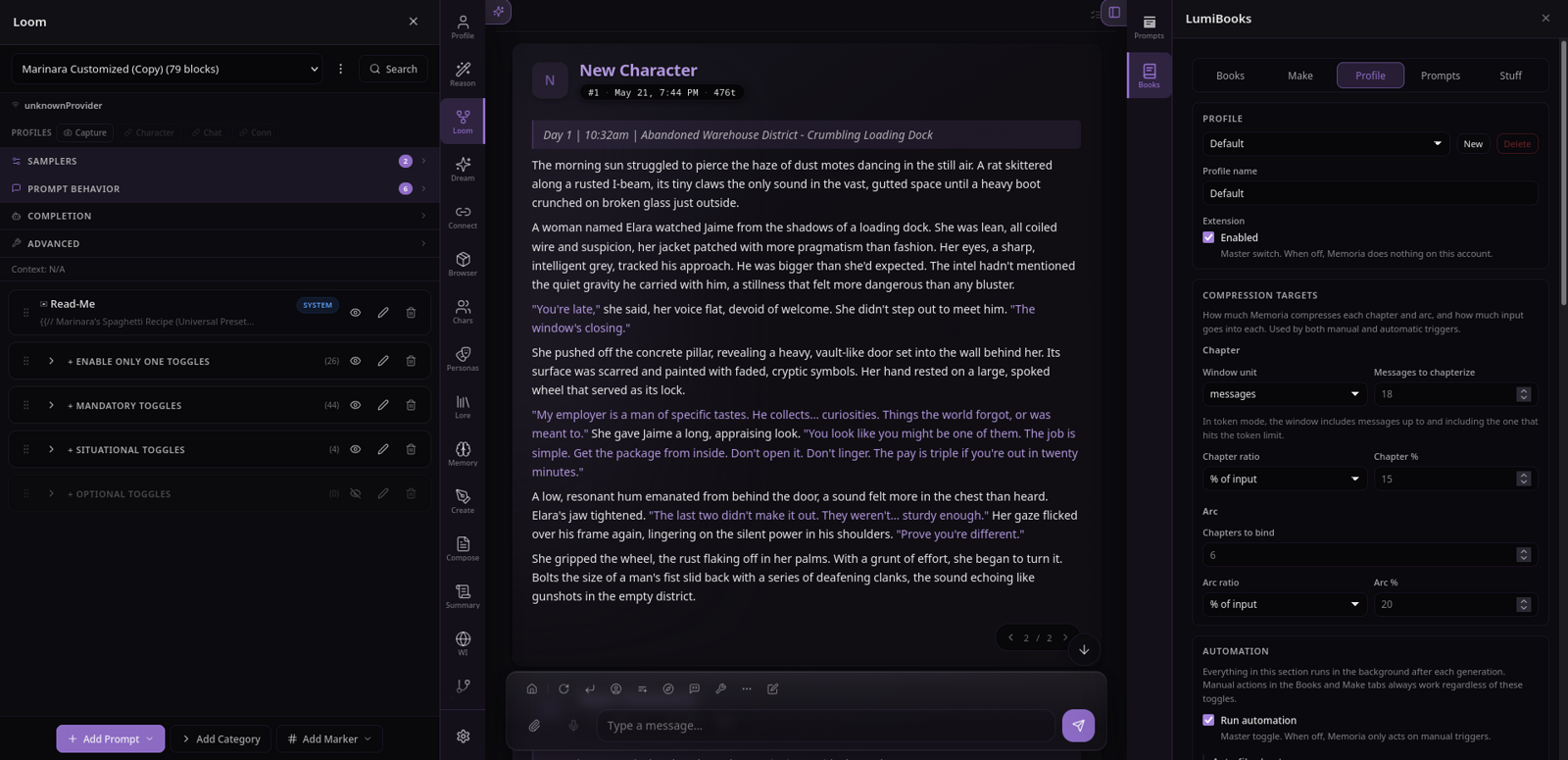
Adds convenient tweaks and features to enhance the UI. Aimed at deeper customization and quality-of-life improvements.
About
Convenient tweaks and shortcuts to enhance your Lumiverse UI! More at your fingertips: spend less time hunting for the right tab and going in and out of settings.
🔧 Everything is optional, toggle each behavior
🎨 Faithful to the vanilla Lumiverse UI and theme system
(If you have custom CSS it might need some adjusting. See docs/custom-css.md)
Features included so far
Drag to resize panels: Drag sidebar/drawer panel edges to resize them
Center the chat in the visible area: Prevent panels from covering chat
Second drawer: Add a second sidebar drawer, move tabs between drawers freely (right click tab -> click move, or enable drag and drop in Canvas settings)
Tabs along screen edge: Move tab buttons to the other side of the drawer panel
Taskbar mode: pin the tab buttons along the screen edge - only the panel slides in and out. This means you can open a specific tab at any time without opening the drawer first
Drag and drop drawer tabs: Drag and drop tabs to rearrange them without having to open "Configure Tabs" menu (requires taskbar mode)
"Configure Tabs" menu expansion: Allows customizing tab layout for both single-drawer and dual-drawer mode, all in one place
Hide drawer open/close buttons setting: They're a bit redundant in taskbar mode, so you have the option to hide them
Slash commands:
/select-all,/select 10-40,/newchat,/persona, more coming soon. Suggestion and autocomplete system. Focused on performance
Version and source
1 link · 2 details
Links
Details
1.9.2
0.1.0
Permissions
1 permission
Open floating widgets and docked panels.
Coming soon™
Change size of tabs easily
Drawers on top/bottom of screen
Advanced theme options, like controls for custom sizing/layout of chat message elements and a bunch of other CSS variables
Tweaks for mobile UI (help me think of some!)